Repair shop workflow board
Every car in the shop on one board, shared live by the whole team.
Lifts or stages
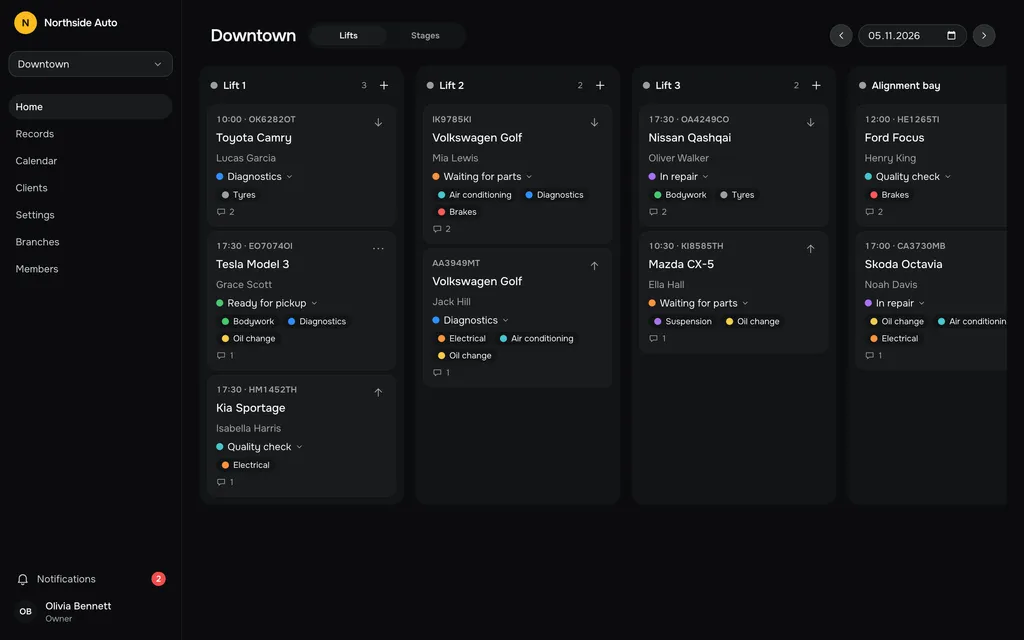
Switch the board between Lifts and Stages. By lift shows what each bay is doing right now. By stage shows where work is waiting: Diagnostics, Waiting for parts, In repair, Quality check, Ready for pickup.
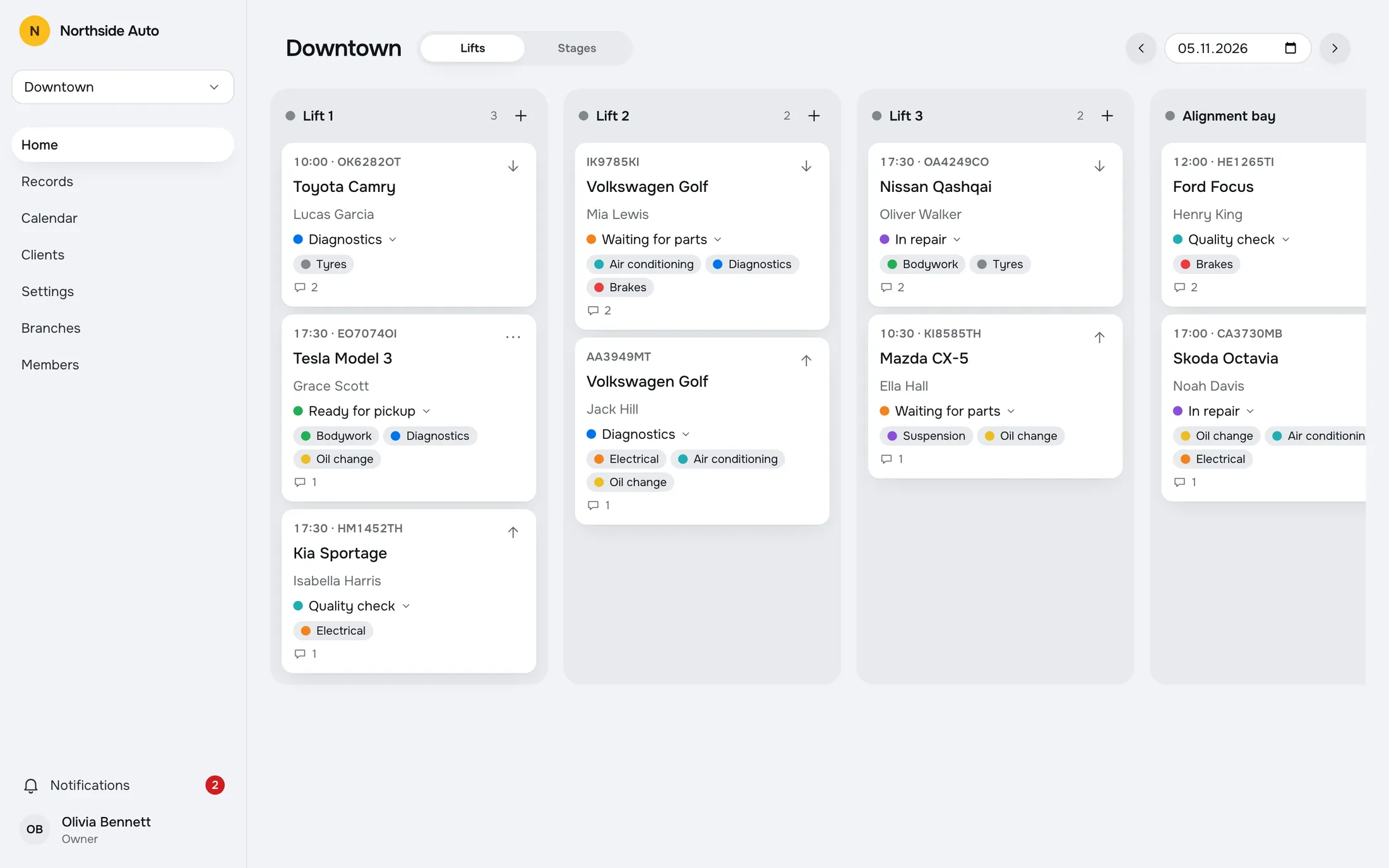
Each card carries the time, plate, model, client, stage, work types and a comment count, so you rarely need to open it.
Drag a card to move it
Drag a card to another lift or stage. The order inside a column is yours to set, separately for the lift view and the stage view.
Cards also have Move up and Move down in their menu, and on a phone you drag by a handle.
Open a card to edit
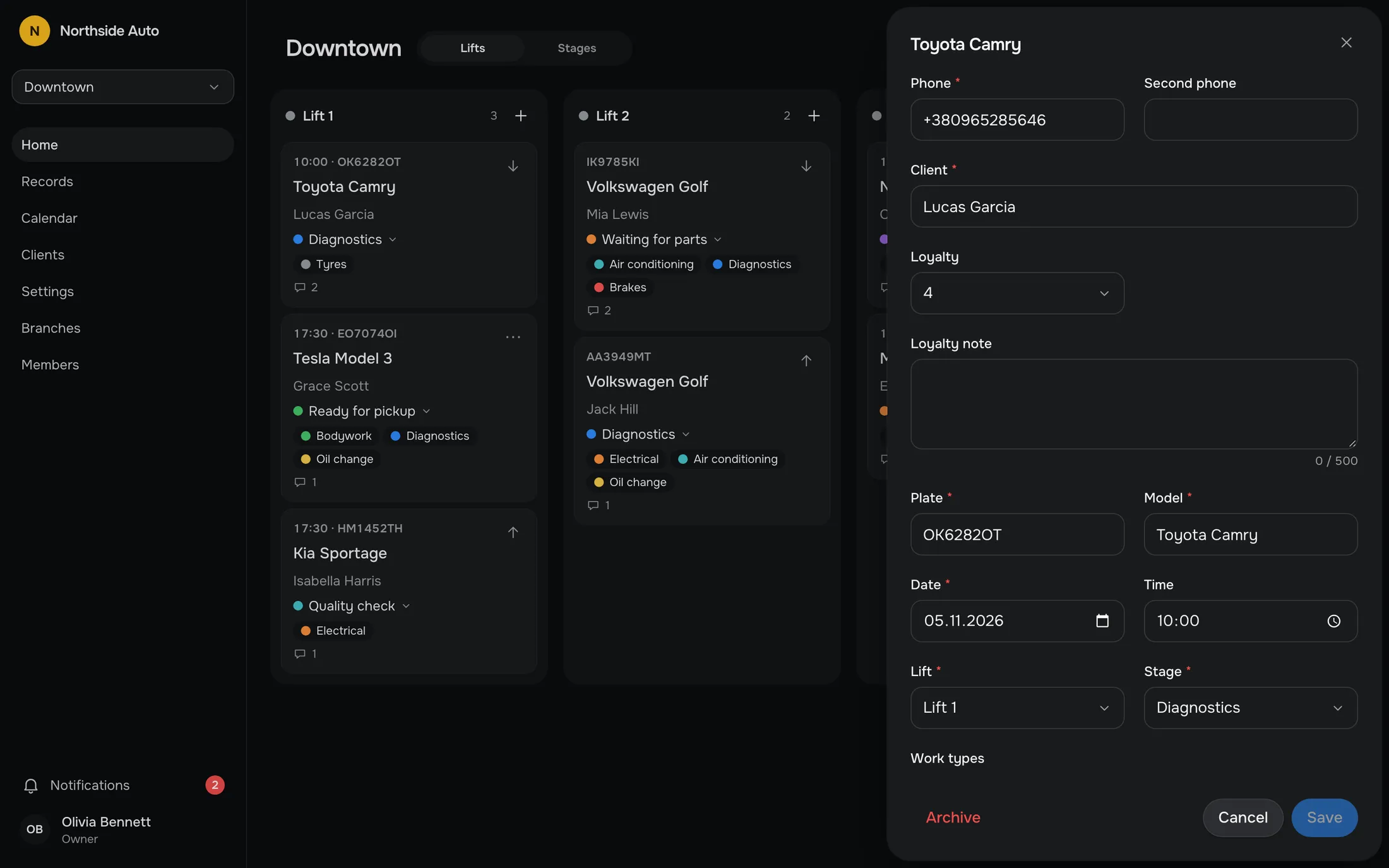
Click a card to open the record: client, plate, model, date, time, lift, stage and work types. Change the lift or the stage in one field and save.
The record also holds the comments and, in a connected shop, the photos.
Live for everyone
When a colleague adds or moves a record, changes a client or edits the lists in Settings, your page refreshes by itself. There are no pop-ups, the cards just settle into place.
The front desk and the workshop floor look at the same picture, so nobody has to ask which lift a car is on.
Two people, one card.
If a colleague saves a record while your form is open, you are warned before you overwrite their change. The warning names who changed it and when, and you choose: show the new data, or save anyway. The client panel and the vehicle dialog warn the same way.
Try it in the demoToyota Camry
OK6282OT · Lucas Garcia
Lift
Stage
Questions, answered.
Does the board update by itself?
Yes. When someone else changes data, your page refreshes without a reload. That covers the board, records, comments, clients, the lists in Settings, branches and members.
What happens when two people edit one record?
The second person to save sees a warning that the record changed while the form was open, with the name of the person and the time. They can show the new data or save anyway.
Can I put the cards in my own order?
Yes. Drag a card within a column or between columns, or use Move up and Move down in the card menu. The order is kept separately for the Lifts view and the Stages view.
Does the board work on a phone?
The interface is responsive, with a tab bar on small screens, and cards are moved by a drag handle. There is no native mobile app.
Does every branch have its own board?
Yes. Each branch has its own lifts, stages and cards, and you switch branch from the sidebar.
Works with
- Repair recordsA table of all records with search and filters by stage, work type and dates. Archive a finished job and restore it later.Read more →
- CalendarSee the week or the month, filter by lift, stage or work type, and add a record on any day.Read more →
- Comments and mentionsComment on a record and mention a teammate. They get a notification that opens the comment.Read more →
Try a sample shop.
The demo is a sample company, Northside Auto, with two branches and about ninety records. Sign in as Owner, Admin or Staff. Nothing is saved, and a reload starts over.
Open the live demoGet early access.
Leave your email and we will write when RepairFlow opens to new shops.