Client database for repair shops
A client card with contacts, vehicles and every past record.
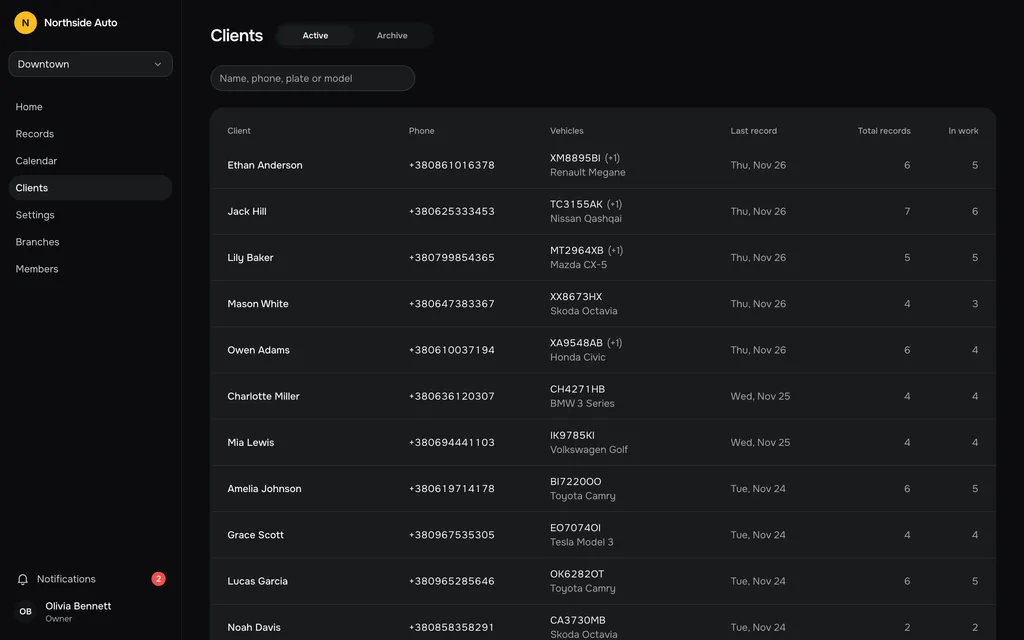
One card per client
Open a client and see how many records they have, how many are in work, the last record and since when they have been a client. Below it is the full record history, newest first, then every vehicle.
When someone phones in, you know what you did to their car last time.
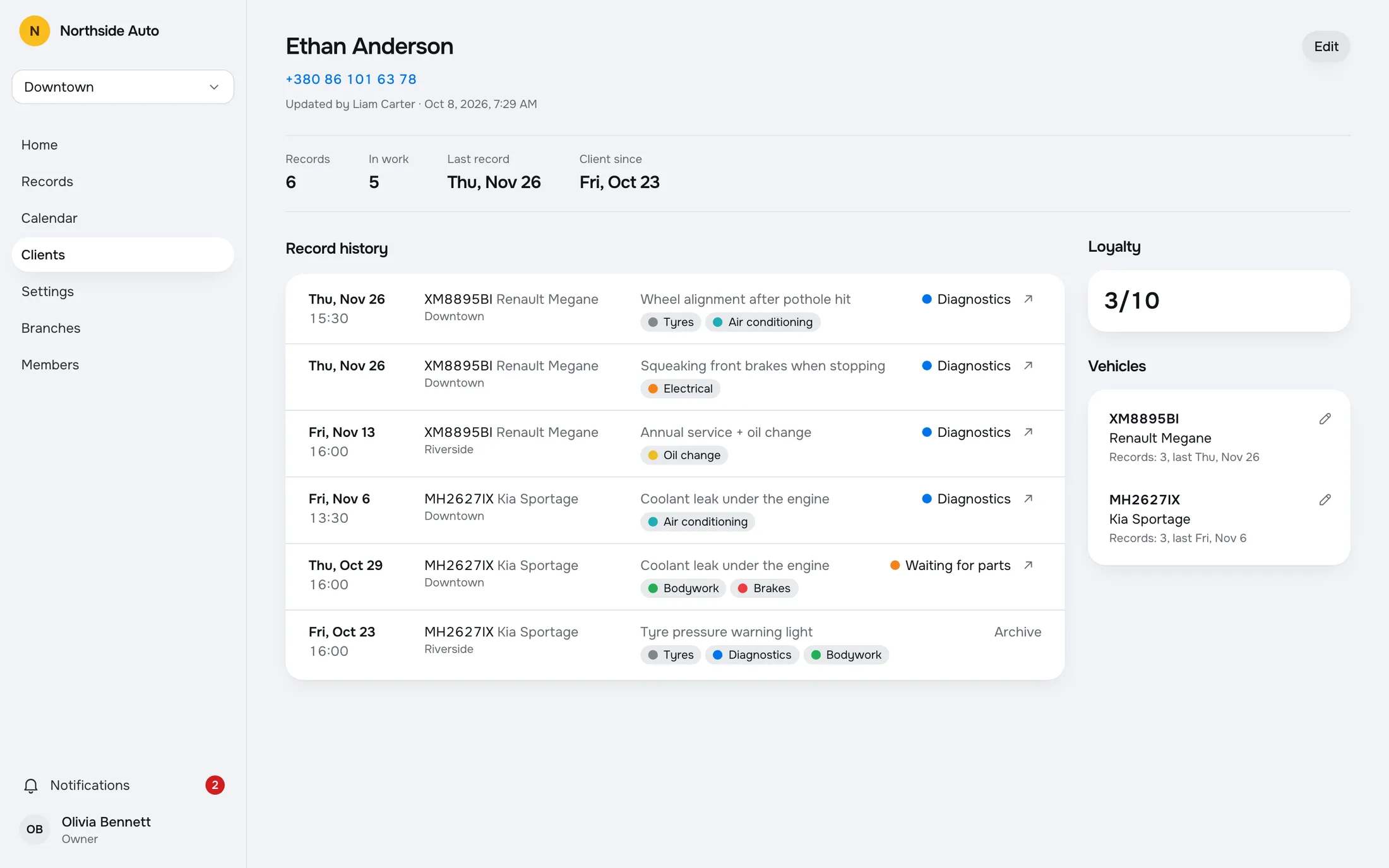
Several vehicles, one person
A client can have several vehicles. Each one shows its plate, model and how many records it has.
When you add a record and type a known phone or plate, the app finds the client and offers to fill in the details, so you do not type them twice.
Shared across branches
Clients belong to the company, not to a location. A record at Riverside shows up in the history you see at Downtown, with the branch named on each row.
Archive and restore
Anyone can archive a client who has no record in work. Archived clients move to their own tab, and a new record for the same client brings them back automatically. You can also restore them from the row or from the card.
The history follows the client.
Every record of a client is listed with its date, vehicle, branch and stage. A regular who moves between your locations never starts from a blank page.
Try it in the demoLucas Garcia
Records
3In work
1Last record
Thu, Nov 5Client since
Fri, Aug 14Record history
Thu, Nov 5 · Toyota Camry
Downtown · OK6282OT
Fri, Aug 14 · Toyota Camry
Riverside · OK6282OT
Vehicles
OK6282OT · Toyota Camry
Records: 3, last Thu, Nov 5
Questions, answered.
Are clients shared between branches?
Yes. Clients and their record history belong to the whole company, and each row of the history names its branch.
Can one client have several cars?
Yes. Each vehicle is kept on the client with its plate, model and record count.
What can I search clients by?
Name, phone, plate or model.
What happens when I archive a client?
The client leaves the active list and moves to the Archive tab. You can only archive a client who has no record in work. A new record for the same client brings them back, or you restore them by hand.
Works with
- Repair recordsA table of all records with search and filters by stage, work type and dates. Archive a finished job and restore it later.Read more →
- Multiple branchesOne company, many locations. Each branch has its own lifts, stages and work types.Read more →
- CalendarSee the week or the month, filter by lift, stage or work type, and add a record on any day.Read more →
Try a sample shop.
The demo is a sample company, Northside Auto, with two branches and about ninety records. Sign in as Owner, Admin or Staff. Nothing is saved, and a reload starts over.
Open the live demoGet early access.
Leave your email and we will write when RepairFlow opens to new shops.