Repair shop calendar
Week and month views of every booked car.
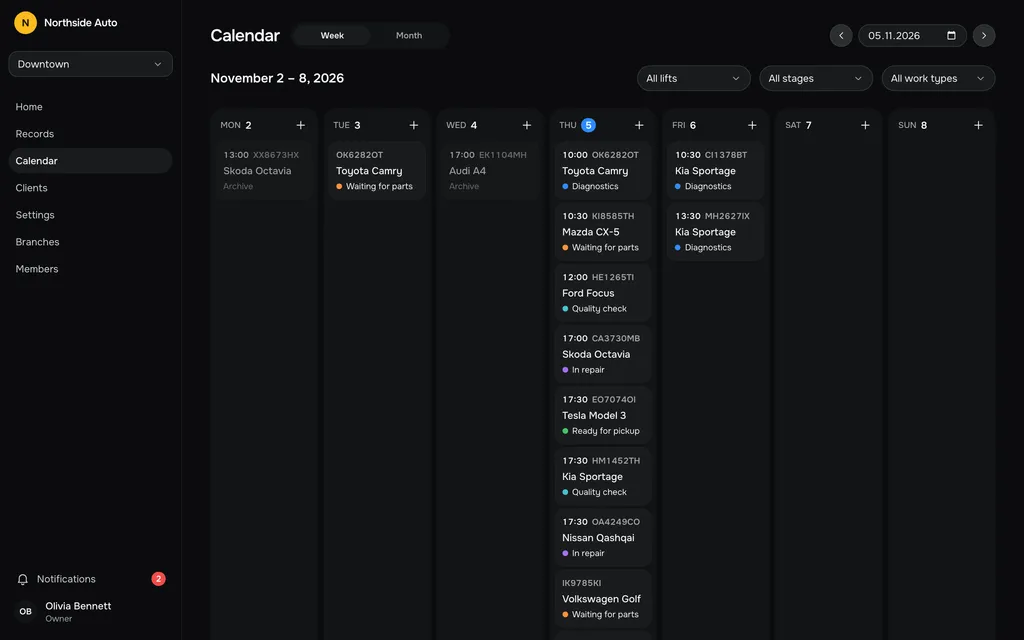
Your week
The week runs Monday to Sunday, one column per day. Cards show the time, plate, model and stage. Cars with a time come first, in time order, then the ones without.
Archived cars stay visible but dimmed, and you can only view them.
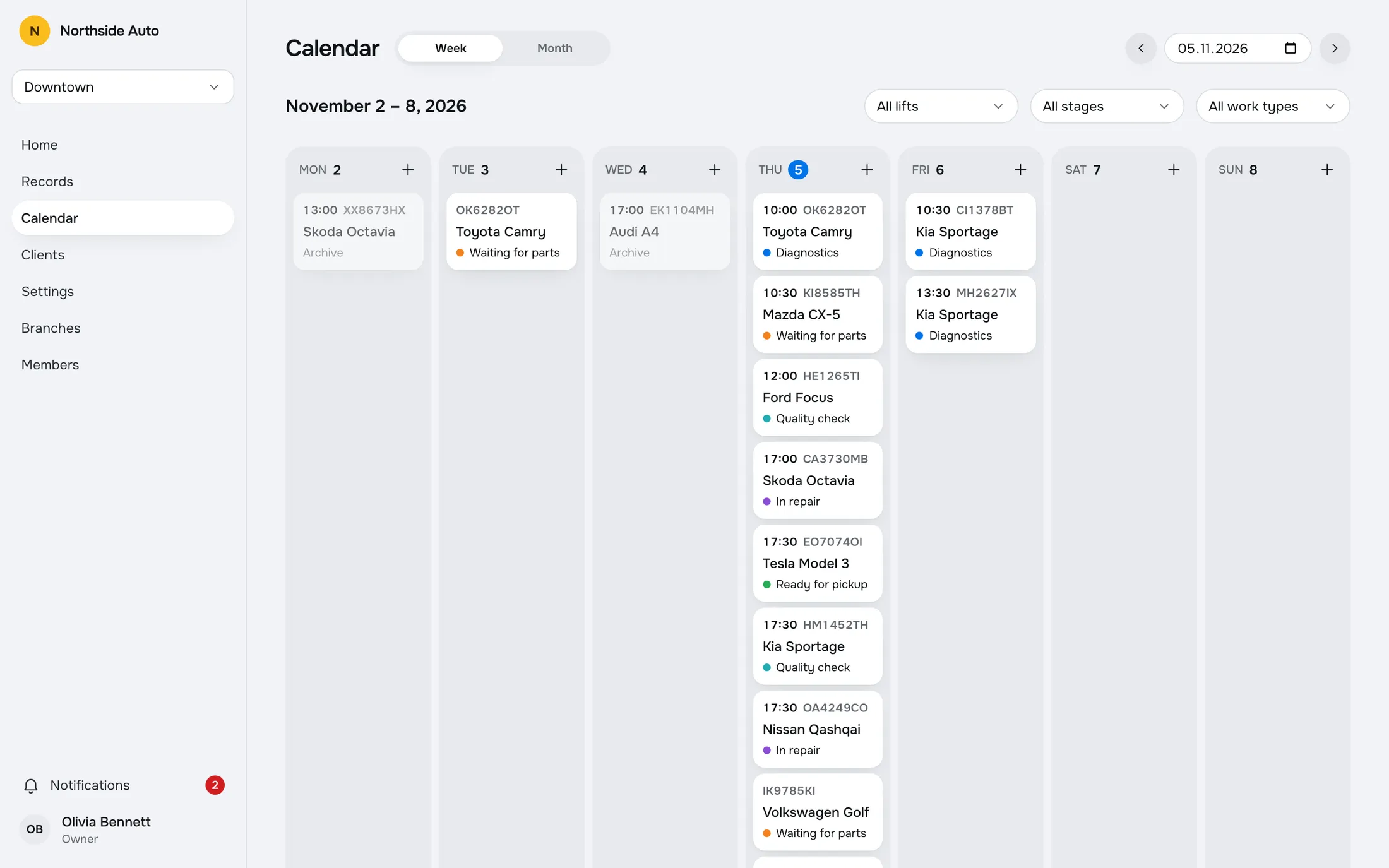
A month of days
The month view shows how many cars are booked on each day, so you can promise a customer a date you can keep. Move with the arrows, jump with Today, or pick any date in the date field.
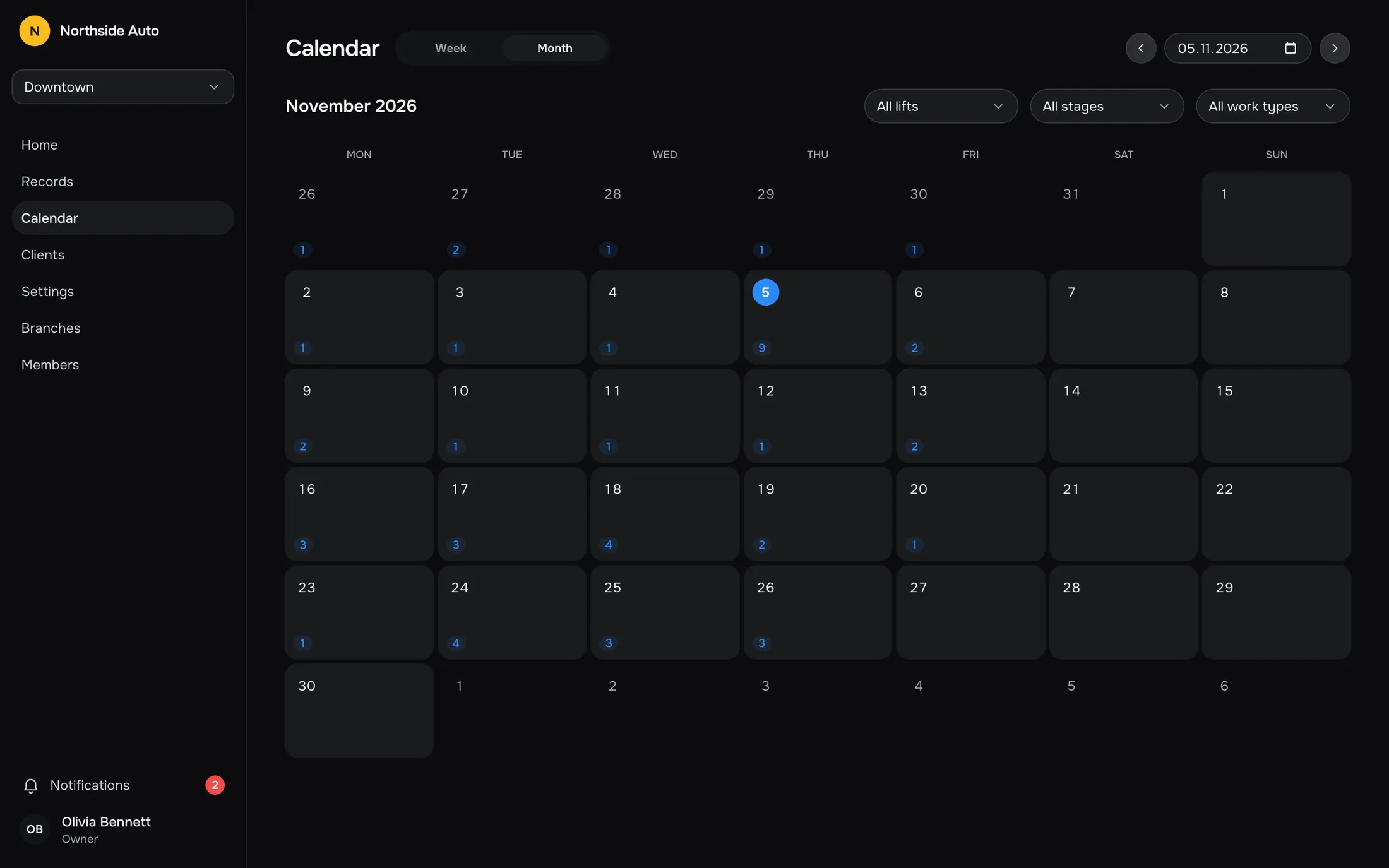
Filter by lift, stage or work type
Pick one lift, one stage or one work type, and the week and the month counts follow. Reset clears the filters.
On a phone the filters sit behind a Filters button, and the week becomes a strip of days with the cards of the selected day underneath.
Add a car on any day
Press the plus on a day to add a car to that date. It lands on the first lift and stage, and it shows on the board and in Records because it is the same record.
Moving cars by dragging is done on the board, not in the calendar.
Same records, another view.
The calendar, the board and the Records table read one set of records. Add or change a car in one place and the others agree. Everyone with access to the branch can open the calendar.
Try it in the demoSkoda Octavia
Archive
Toyota Camry
Toyota Camry
Ford Focus
Questions, answered.
Can I drag cars between days?
No. Cards open the record to edit its date, and dragging is done on the board between lifts and stages.
Who can see the calendar?
Every role, for the branches they have access to.
Can I look at any date?
Yes. Move with the arrows, press Today, or choose a date. Week and Month views are both available.
Does the calendar show archived cars?
Yes, dimmed and view-only.
Works with
- Workflow boardEvery car on a live board by lift or by stage. Drag a card to move it. Your colleagues' changes appear without a refresh, and edit conflicts are flagged.Read more →
- Repair recordsA table of all records with search and filters by stage, work type and dates. Archive a finished job and restore it later.Read more →
- Multiple branchesOne company, many locations. Each branch has its own lifts, stages and work types.Read more →
Try a sample shop.
The demo is a sample company, Northside Auto, with two branches and about ninety records. Sign in as Owner, Admin or Staff. Nothing is saved, and a reload starts over.
Open the live demoGet early access.
Leave your email and we will write when RepairFlow opens to new shops.